

How it works
From the chat group to the pitch, without the mess
PARCHUP organizes everything that happens before a match: who's in, who's missing, which team everyone plays for and who's in goal. This is how the beta works today.
If you're playing
Find a match and join
Sign in with your Google account
No new passwords. We only use your name, verified email and photo. Playing details (position, level, area) are asked only when needed.
Search the list or the map
See venue, date, time, format (5v5 to 11v11), level and open spots. Filter to find what suits you.
Tap “Unirme” (Join)
Depending on the match, you're in right away or the organizer accepts your request. We let you know when it changes.
Show up and play
Check your team and your position in the lineup. If you can't make it, cancel in the app as early as possible: no-shows affect your reliability indicator.
If you're organizing
Create the match and fill it
Create the match
Pick the venue, the type (full match or build your team), format, level, date, start time and duration.
Share the link
Every match has a link with a WhatsApp preview card: venue, time and open spots. Anyone can open it in the app or on the web.
Handle requests and spots
Accept or decline requests from “Administrar partido”. Filled spots update on their own.
Build teams, lineup and goalkeeper
Split confirmed players into Team 1 and Team 2, pick a formation and, if needed, find an available goalkeeper or player.
In the app
The screens for each step
Real beta screenshots with demo data (the app is in Spanish).
-
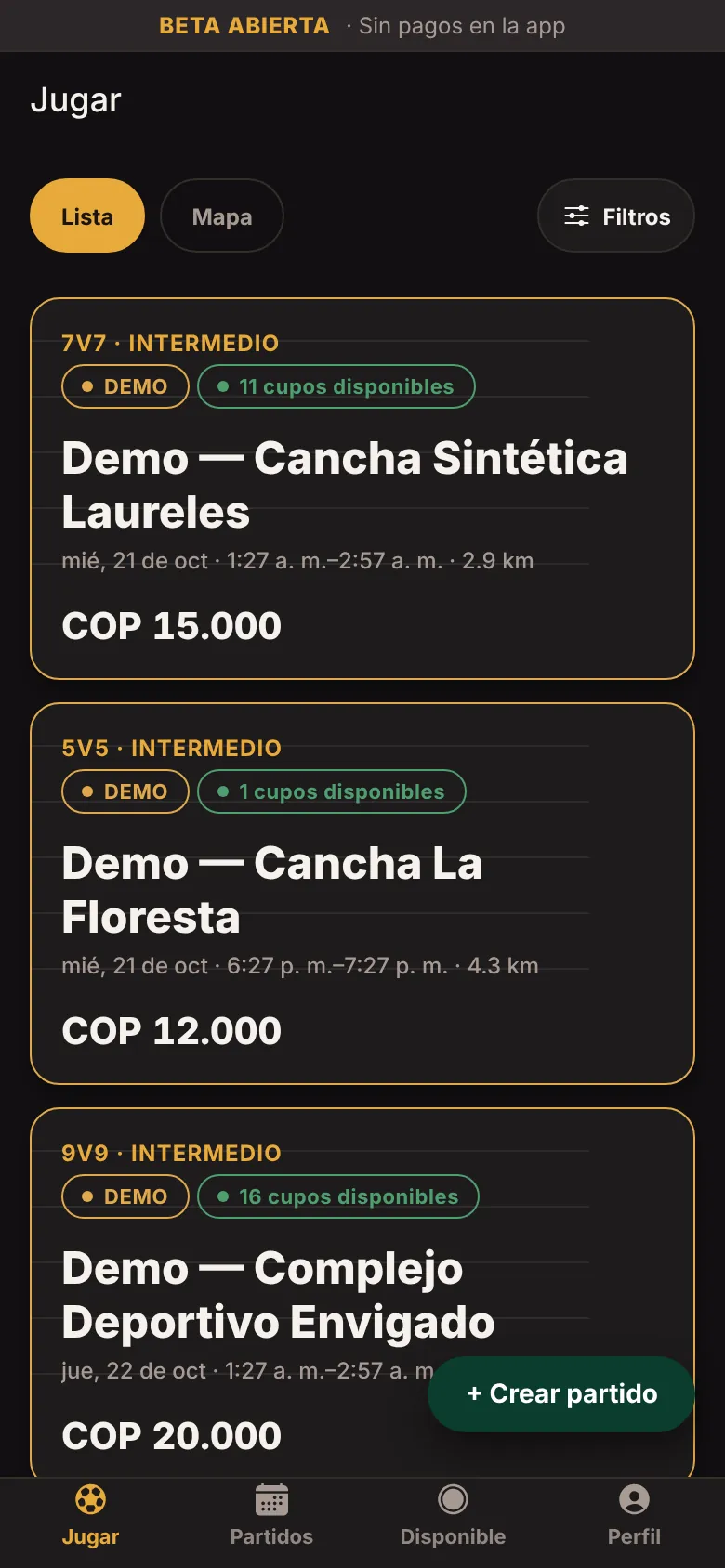
Find a match -
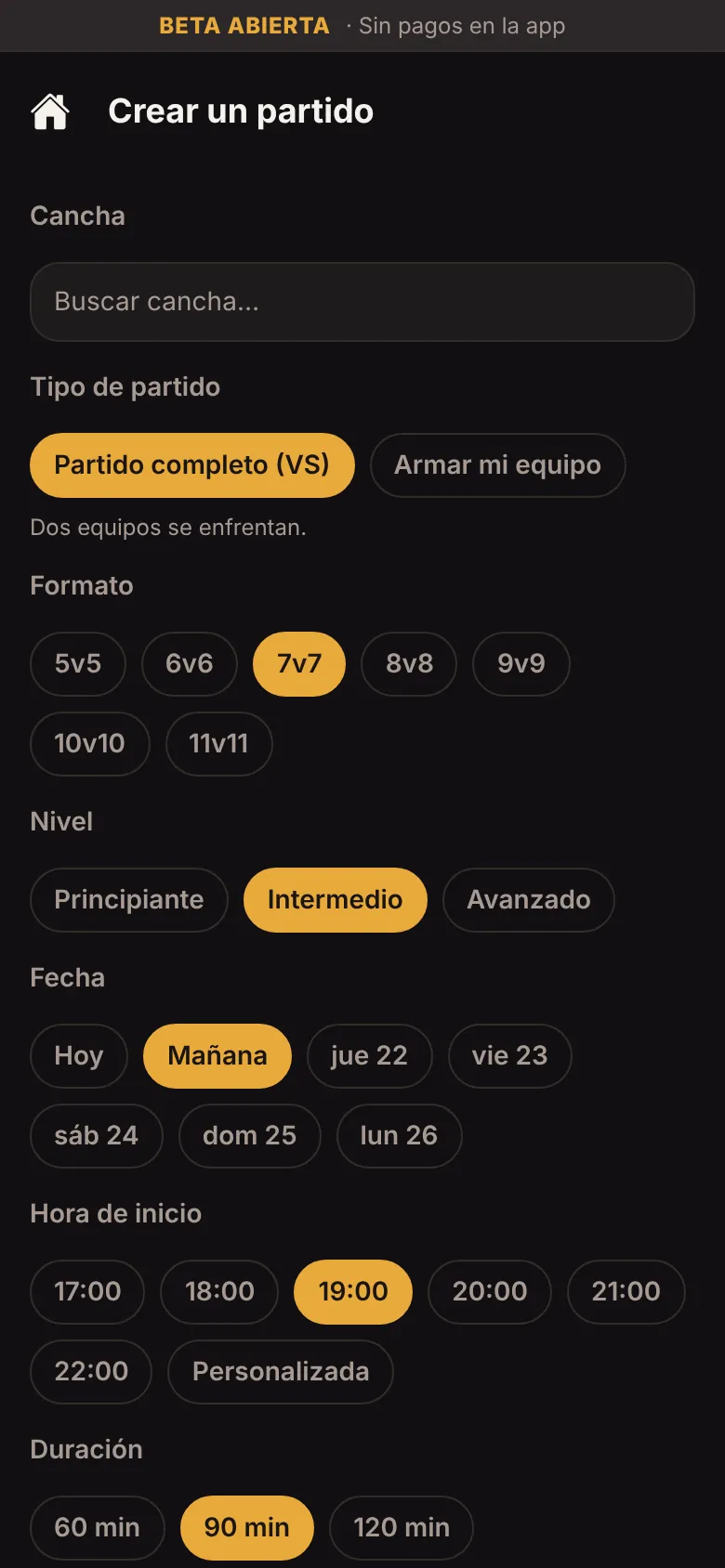
Create a match -
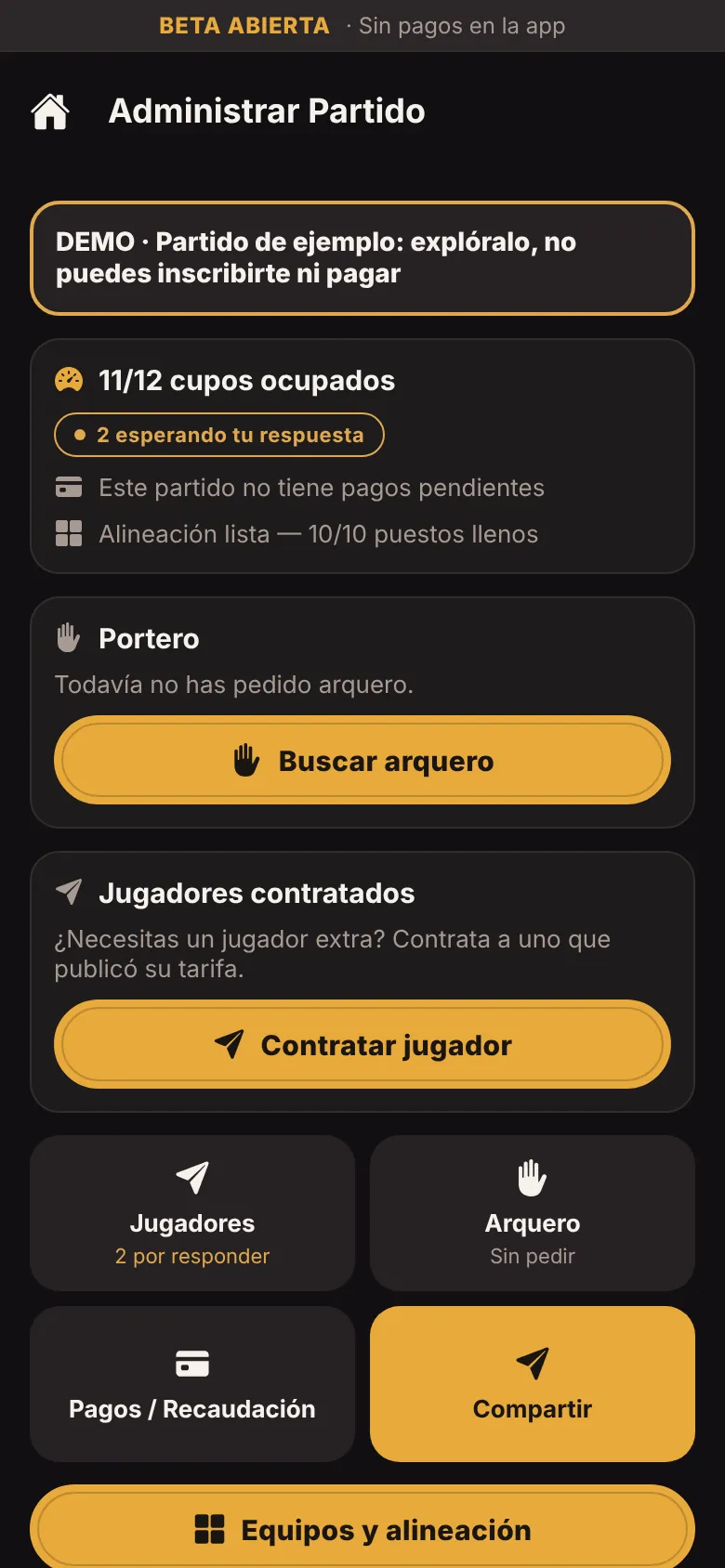
Manage -
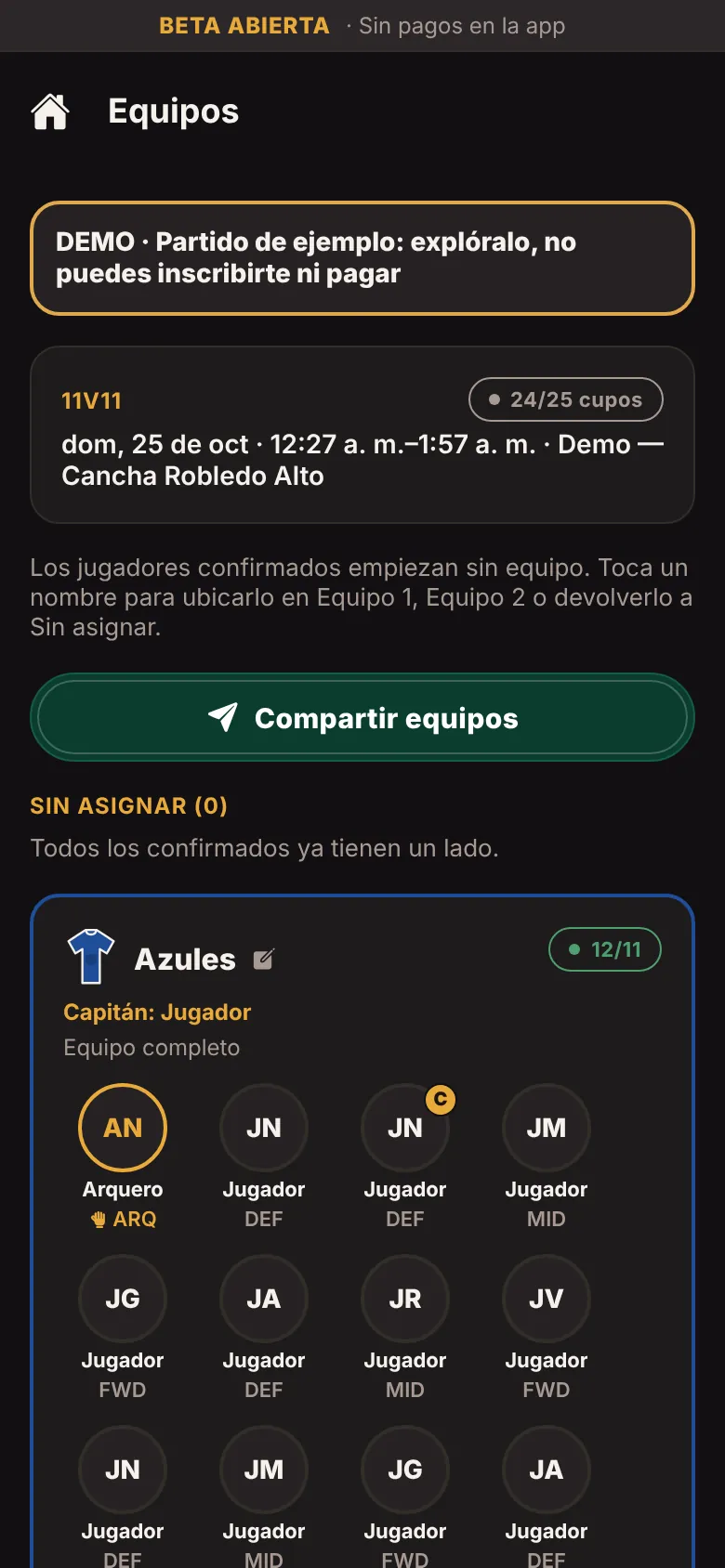
Teams
Examples
What a match looks like in PARCHUP
Example 5, 7, 9 and 11-a-side matches: field spots, goalkeepers, bench and waitlist, as you see them before joining.
Illustrative examples: these are not real matches, people or results. In the app you’ll also be able to see matches labelled DEMO to explore how it works; they aren’t real matches either.
- DEMO · sample data 5-a-side
Cancha Demo Norte
- Field spots
- 7 of 8
- Goalkeepers
- 2 of 2
- Bench
- 0 of 2
- Waitlist Coming soon
- 0 people
1 spot left
- DEMO · sample data 7-a-side
Cancha Demo Sur
- Field spots
- 12 of 12
- Goalkeepers
- 1 of 2
- Bench
- 2 of 4
- Waitlist Coming soon
- 0 people
Goalkeeper needed
- DEMO · sample data 9-a-side
Cancha Demo Oriente
- Field spots
- 16 of 16
- Goalkeepers
- 2 of 2
- Bench
- 4 of 4
- Waitlist Coming soon
- 2 people
Full · 2 on the waitlist
- DEMO · sample data 11-a-side
Cancha Demo Occidente
- Field spots
- 17 of 20
- Goalkeepers
- 2 of 2
- Bench
- 1 of 6
- Waitlist Coming soon
- 0 people
3 spots left
Payments in the beta: not active yet
During the open beta in-app payments are not active yet: amounts you see are for reference and any payment is agreed between people, outside PARCHUP. Once they are switched on, the match contribution is set by the captain or organizer and goes to them; PARCHUP will charge its commission per seat, hire or booking, with 100% off during the Founders’ promotion (terms and validity to be confirmed). See how pricing works.
Ready for the next match?
Open beta: create your account at beta.parchup.com, right from your browser. While we test, in-app payments are not active yet.
Web version available · Android and iOS coming soon